I'm so frustrated. It seems that every time we sit down to record the podcast, lately, it all goes to crap, and I'm sick of recording the same thing over and over again only to have it fail (audio gets garbly; drops samples; garageband crashes; kernel panics; all around nasty stuff).
It all seems to stem from Apple seriously screwing up their USB drivers on 10.5.2. This is definitely the first time I've felt seriously let down by my operating system since switching from Linux (which has its own issues) last May.
So, to help all other would-be podcasters out there, I've come up with a chart that helps you choose the proper combination of hardware and software when recording podcasts on 10.5.2:
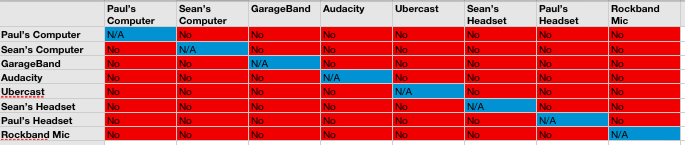
Seriously, though, if anyone has a real solution to this problem that doesn't involve an OS reinstall (and then not upgrading past 10.5.1), please PLEASE let me know. And no, switching from the left USB port to the right isn't a real solution.
*sob*
Hannes Magnusson
2008 Mar 19 18:52
Awesome chart :)
Brian moon
2008 Mar 19 22:21
The USB switch does fix a lot of stuff Sean. I can't sync my iphone in the left port. The only thing I can do in it is run my Apple keyboard and my track ball. Get a powered hub and plug it in to the right port and power all you want. That is my experience.
sf
2008 Mar 20 03:45
No, no, no, no.... yes, it is awesome :)
Sean Coates
2008 Mar 20 11:30
Hi Brian,
We've tried both ports on both laptops, and also with a mac mini (also 10.5.2) kicking around. The hub was powered. It fails even without a hub and only one USB device on either port.
So, it's not a good solution if it works, and it's a downright BAD solution because it doesn't work. At least not for me. Glad you've had some luck, though.
S
kenrick
2008 Mar 20 13:31
im just glad i have not upgraded to 10.5 yet...
I actually use an Alesis mixer that goes firewire into the mac, and that appears to work fine. Alternatively I also have this little attachment for my 5th generation iPod that allows me to record right onto it in raw format, then I just transfer later.
If it is the usb drivers as you say, then it won't really matter what program you record with if the source doesn't work.
Try using the line in on your mac and just get a mic that has a battery in it.
Sean Coates
2008 Mar 20 13:35
Hi Kenrick, thanks for the input.
10.5.[0,1] were fine. I upgraded to 10.5.2 hoping they'd actually managed to make spaces and ichat not suck so much, but I was let down /-:
Paul just bought one of those iPod mics, and we're going to try that today. It's far from ideal, though. Same goes for inputting with the line-in: we're used to having 2 mics that we can split onto two separate tracks and edit as appropriate.
S
Chris Hartjes
2008 Mar 21 16:31
USB totally broken on 10.5.2? Then explain to me how every single USB device that I own works just fine on my MacBook that is running 10.5.2. This includes:
* external hard drive
* printer cables
* iPod connection cable
* Logitech headset used daily to chat in iChat and Skype, and to record things in Garageband.
I have no idea what the problem has been with you guys being able to record the podcast, but the problem isn't that USB is totally broken. Maybe it's a MacBook Pro thing?
Sean Coates
2008 Mar 21 21:32
Hi Chris,
It's not just MBP, but it also happened on the mac Mini... and other people are reporting problems. Maybe it's a certain subset of USB headsets (all Logitech).. hard to say.
Either way, it definitely does NOT work on any of our 3 machines, with many different recording softwares, and different audio input hardware... and other people have had similar problems, as I linked above.
)-:
S